


 4Likes
NEW HOBBYWING STOCK SUPERCHARGED SOFTWARE
 01-07-2016 | 02:47 PM

Tech Regular
Joined: Feb 2011
Posts: 401
From: planet X in a distant galaxy

 01-08-2016 | 04:51 AM


The only issue with HW module is most outdoor tracks don't offer wifi..
Last edited by DriveItLikeYSIT; 01-08-2016 at 04:53 AM. Reason: u
 01-15-2016 | 08:57 AM
I hope you wouldn't be able to make changes from the drivers stand. That just opens the door for all kinds of issues. Switching from blinky to non blinky during a race and back before a car goes through post race tech.
01-21-2016 | 10:43 PM

Decided to try and upgrade my Justock esc to the new 509 No Timing software.
Here's what I done, and here's what happened, which will be mentioned later.
* Downloaded the latest USB Link software & installed it on my computer.
* Hooked up my 2 in 1 program box and upgraded the firmware, making sure to upgrade the the firmware version suitable for both my 2 in 1 box, and the Justock & older 2.1 series esc's
* Connected my Justock to the program box and upgraded to the new 509 No Timing software. (done procedure twice to ensure upgrade was successful).
* Unhooked program box from both computer & esc.
* Connected esc to program box to test, and received a message "Upgrade Software" on program box, this was after I upgraded both the box & esc.
* Connected box only to pc, and down graded the firmare version to previous version, then was able to connect box only to the esc, which then worked after down grading the box firmware????
I noticed straight away after upgrading the esc to version 509 was that I only had 4 settings options in maximum brake force - ie 25%, 50%, 75%, and 100%.
In the previous 508 no timing version there were more options for maximum brake force as I had it set to 87.5%, there were other options such as 12.5%, 37.5%, 62.5% etc. with the 509 version it was either 75% or 100%, nothing in between.
Fortunately I was able to downgrade back to the 508 version in the esc which gives more options for the brake force.
Has anyone else noticed this? I made sure to chose the correct firmware version for my 2 in 1 box, and for the Justock esc so I'm sure it wasn't something I done.
Cheers
Here's what I done, and here's what happened, which will be mentioned later.
* Downloaded the latest USB Link software & installed it on my computer.
* Hooked up my 2 in 1 program box and upgraded the firmware, making sure to upgrade the the firmware version suitable for both my 2 in 1 box, and the Justock & older 2.1 series esc's
* Connected my Justock to the program box and upgraded to the new 509 No Timing software. (done procedure twice to ensure upgrade was successful).
* Unhooked program box from both computer & esc.
* Connected esc to program box to test, and received a message "Upgrade Software" on program box, this was after I upgraded both the box & esc.
* Connected box only to pc, and down graded the firmare version to previous version, then was able to connect box only to the esc, which then worked after down grading the box firmware????
I noticed straight away after upgrading the esc to version 509 was that I only had 4 settings options in maximum brake force - ie 25%, 50%, 75%, and 100%.
In the previous 508 no timing version there were more options for maximum brake force as I had it set to 87.5%, there were other options such as 12.5%, 37.5%, 62.5% etc. with the 509 version it was either 75% or 100%, nothing in between.
Fortunately I was able to downgrade back to the 508 version in the esc which gives more options for the brake force.
Has anyone else noticed this? I made sure to chose the correct firmware version for my 2 in 1 box, and for the Justock esc so I'm sure it wasn't something I done.
Cheers
 01-22-2016 | 01:32 PM

I installed 509 No Timing onto one of my old Justock. The process was a bit clunky, for starters didn't find 509 anywhere. Tried to upgrade my Hobbywing Link and it said it was up to date,even though a newer version is on their website. Had to just download the newer Link s/w manually, and install it manually. Then 509 was available. Flashed the Justock fine.
Use 100% brake force and setup Anti Lock Brakes in your transmitter. The car will brake better and is easier on the spur gear since it gets pulsed instead of locked up.
Use 100% brake force and setup Anti Lock Brakes in your transmitter. The car will brake better and is easier on the spur gear since it gets pulsed instead of locked up.
01-24-2016 | 02:30 AM
Tech Adept
iTrader: (2)
Joined: Sep 2010
Posts: 204
I've been unable to download the latest USB link V3.52.07 software to my Windows 7 machine. I've followed the directions on the Hobbywing website and nothing seems to work. Every time try opening the software from a fresh download I get a "devise cannot be opened" error message.
Anyone have a cure for this?
Anyone have a cure for this?
01-24-2016 | 05:26 PM

Thread Starter
Tech Elite

Joined: Nov 2007
Posts: 3,338
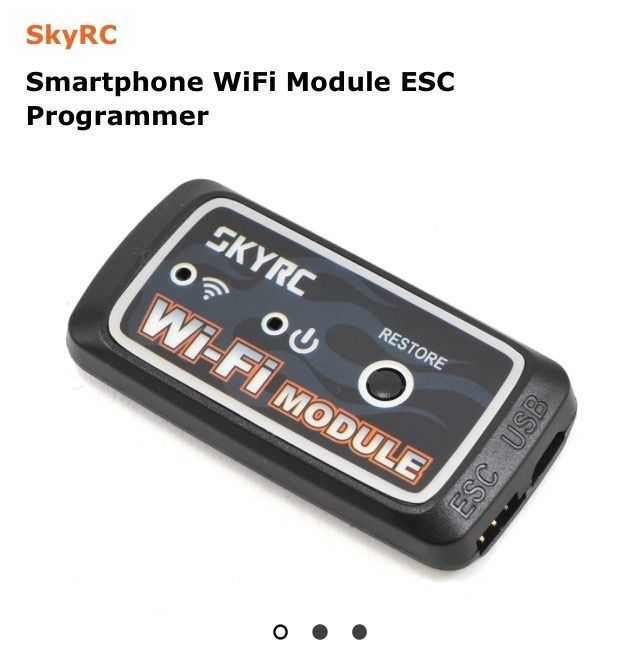
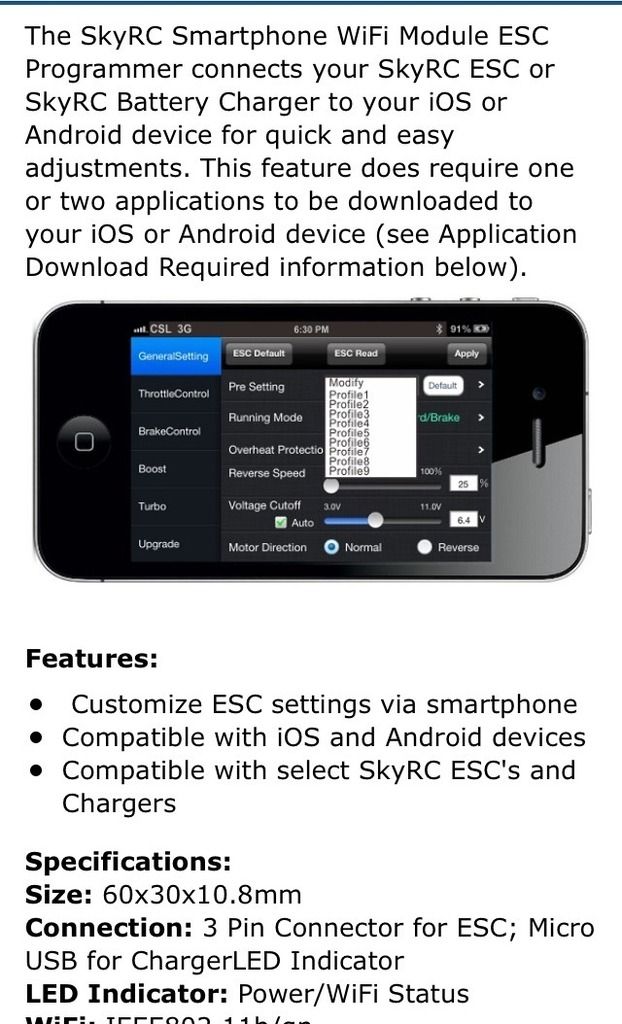
The sky RC module is only $20; so hopefully he HW version will have a similar price point. I'll get one to just upgrade my esc firmware 'cause it's cumbersome to plug my LCD programming box into my laptop..
The only issue with HW module is most outdoor tracks don't offer wifi..
The only issue with HW module is most outdoor tracks don't offer wifi..
01-24-2016 | 07:05 PM
Joined: Sep 2013
Posts: 2,351
From: Arizona
I've been unable to download the latest USB link V3.52.07 software to my Windows 7 machine. I've followed the directions on the Hobbywing website and nothing seems to work. Every time try opening the software from a fresh download I get a "devise cannot be opened" error message.
Anyone have a cure for this?
Anyone have a cure for this?
Hope this helps.
01-25-2016 | 01:42 PM

just asked if a new esc was coming out a few weeks ago and got a no. so i bought some v3.1's. now today i see this, DOH! http://www.redrc.net/2016/01/hobbywi...ed-controller/