


 1Likes
ICharger 4512 Duo
 03-04-2024 | 12:28 AM
#1
 ICharger 4512 Duo
Hey Guys,
Thought I'd share some initial thoughts on this charger. I'm new to the icharger realm, coming from a Revolectrix Powerlab 8x2 with bump controller, and a Gens Ace IMARS IMARS D300.
My main reason for this charger was trying something new, with a higher balance current and high discharge rate. Prior to this I was using an ISDT FD200 discharger.
Today was both my first time using a second channel to discharge, and at a higher rate than 8amps worth a 8000mah 6S.
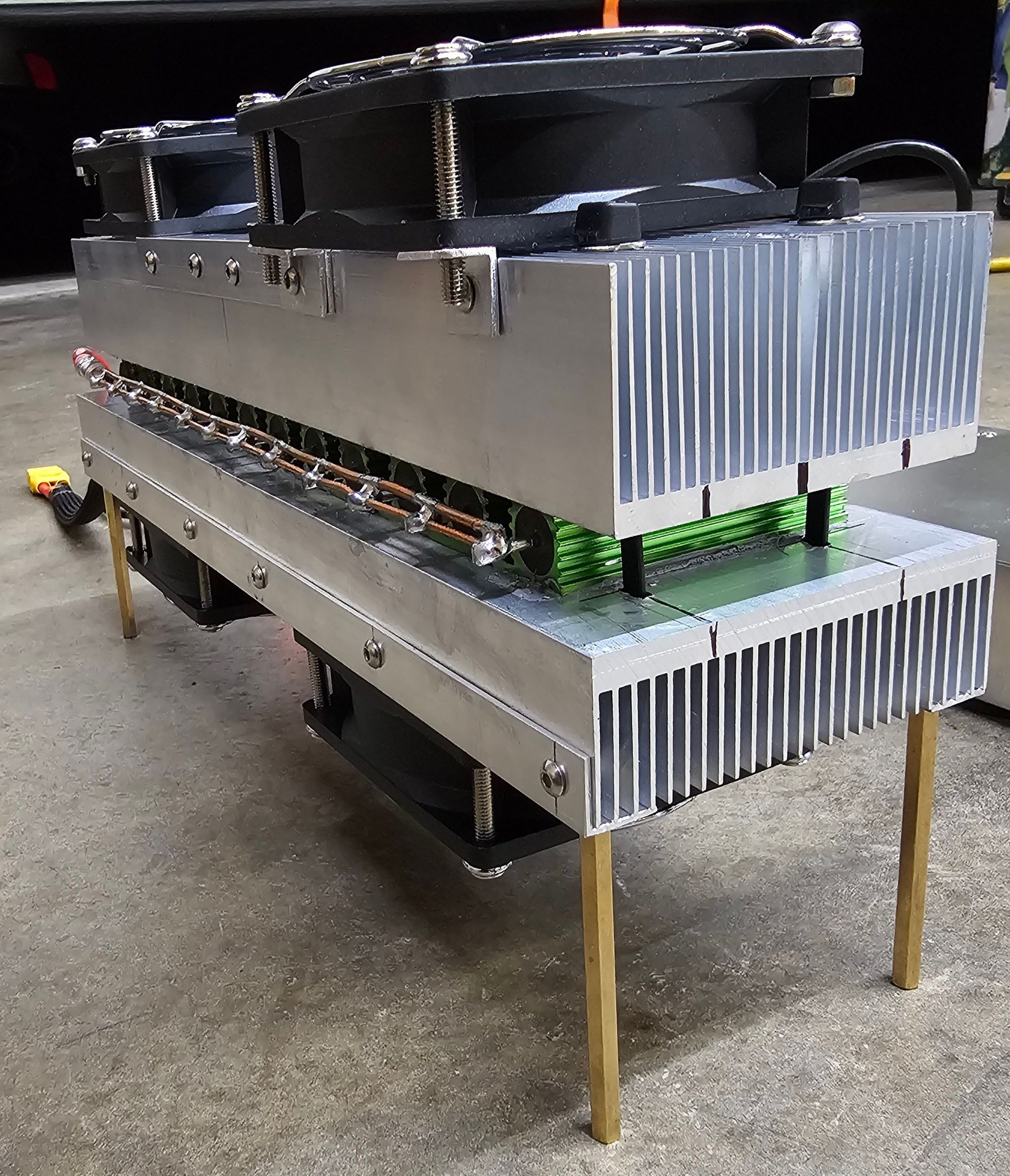
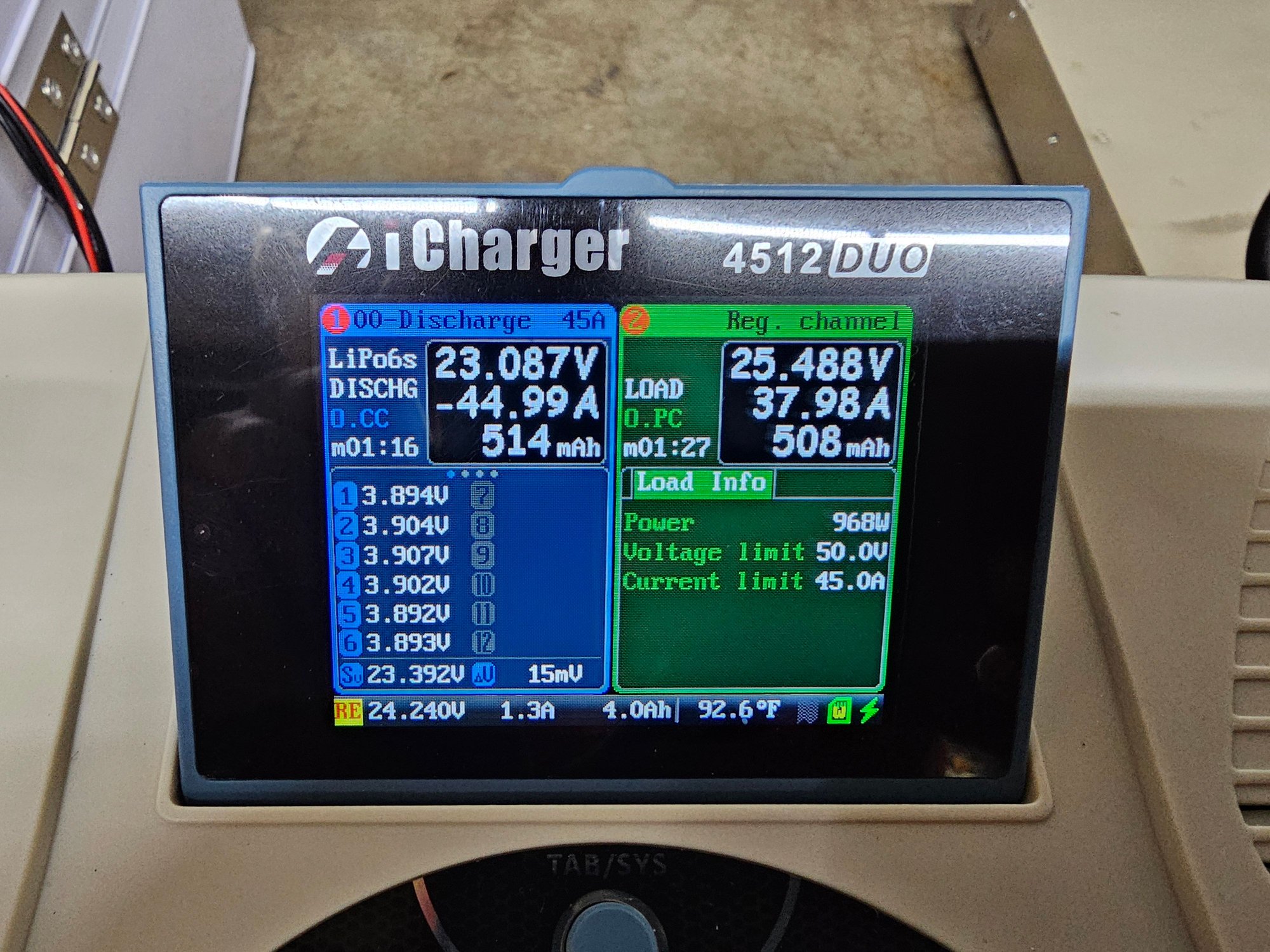
This was also my first time making a resistor bank. It consisted of twelve 100 watt 8ohm resistors. My meter gave a reading of .73ohms in parallel. I was pretty nervous trying this method, and had a semi successful 45amp discharge on 6S. Battery was pretty toasty at the end of it as was the resistor bank.
The FD200 took somewhere around 30 minutes to discharge a full 8000mah 6S to storage voltages of 3.80volts per cell.
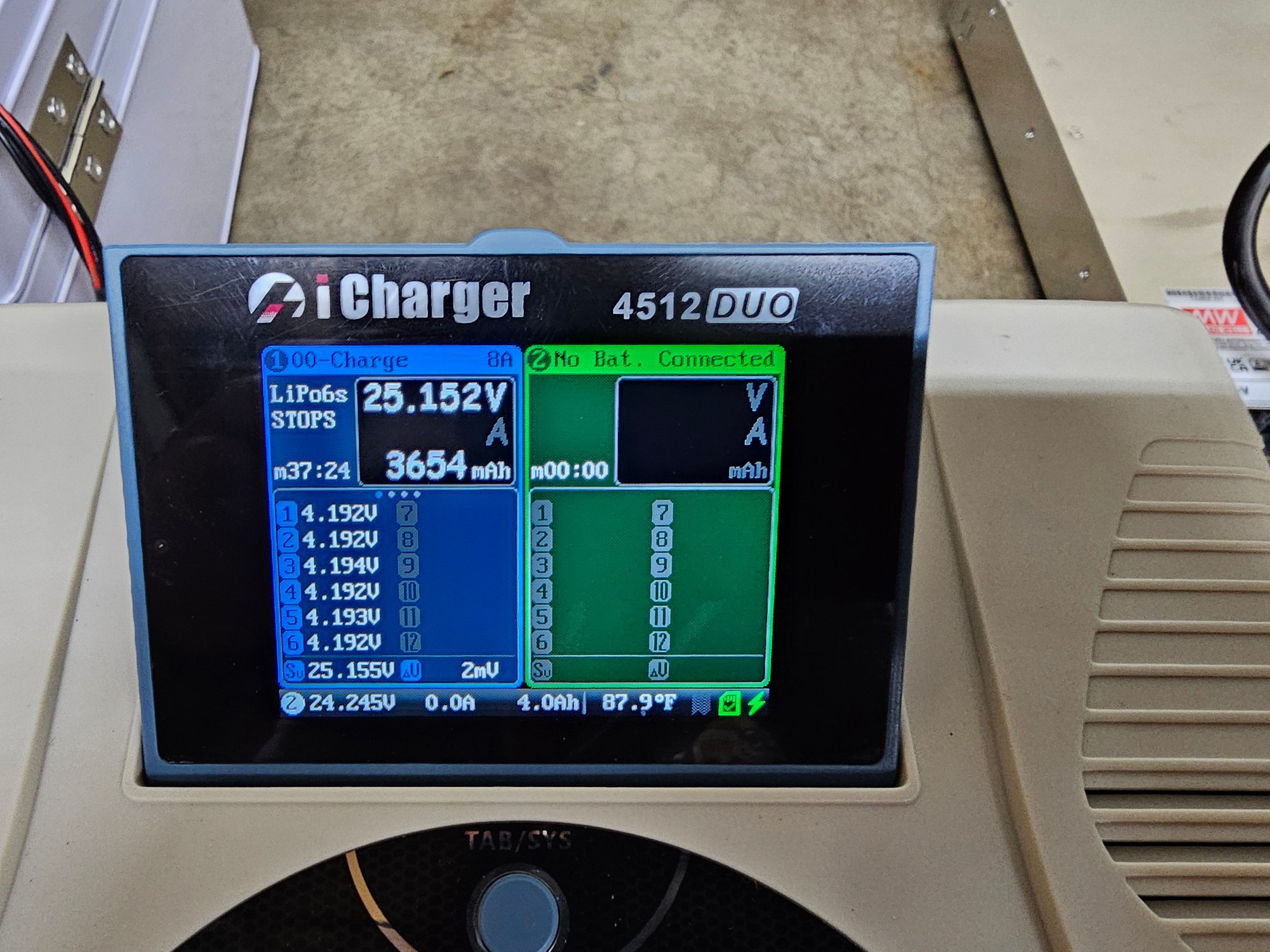
The "sketch master 1200" (resistor bank) took roughly 10.5 minutes before starting to ramp down, ending at 3.5v per cell. Of which, the charger gave me an "error connection lost" message that I forgot to take a picture of.



Thought I'd share some initial thoughts on this charger. I'm new to the icharger realm, coming from a Revolectrix Powerlab 8x2 with bump controller, and a Gens Ace IMARS IMARS D300.
My main reason for this charger was trying something new, with a higher balance current and high discharge rate. Prior to this I was using an ISDT FD200 discharger.
Today was both my first time using a second channel to discharge, and at a higher rate than 8amps worth a 8000mah 6S.
This was also my first time making a resistor bank. It consisted of twelve 100 watt 8ohm resistors. My meter gave a reading of .73ohms in parallel. I was pretty nervous trying this method, and had a semi successful 45amp discharge on 6S. Battery was pretty toasty at the end of it as was the resistor bank.
The FD200 took somewhere around 30 minutes to discharge a full 8000mah 6S to storage voltages of 3.80volts per cell.
The "sketch master 1200" (resistor bank) took roughly 10.5 minutes before starting to ramp down, ending at 3.5v per cell. Of which, the charger gave me an "error connection lost" message that I forgot to take a picture of.
Last edited by Mudman; 03-04-2024 at 10:43 AM.



 03-04-2024 | 09:09 AM
#4
Tech Master
iTrader: (6)
Joined: Dec 2015
Posts: 1,418
From: San Jose CA
That is a monster discharge bank! I built a smaller version discharge bank for 2S and powered the fans off the 12V power supply ( with step down VR ) and a thermal switch to run the fans after the discharge is complete - it's easier on the resistors that way.
03-04-2024 | 10:36 AM
#5
1) powered fans separately to continue cooling at a constant voltage. Glad I went this route, because on 6S the resistors got pretty toasty. Might even add more fans.
I don't think I'll be discharging 6S at 45 amps very often, just based off of how warm the battery got. But the capability is there just in case.
2) theres two lines on both sides. Honestly, I had zero reason, other than there was extra copper next to my soldering iron and I got curious. Functionally I have no idea if it helped any.
I wired the fans to the powers supply with a voltage regulator also, but no thermal switch. That's a great idea though!
03-04-2024 | 12:35 PM
#7
D300 doesnt need a separate power supply, but could use one if you wanted more wattage. Has smart feature, but low discharge rate. Awesome overall footprint though.
4512 charger itself is way bigger, and needs a separate powersupply. But is capable of more than 5 times the max capable wattage of the D300. Easier access between the two channels.
If I don't feel like digging out a bunch of stuff, D300.
The D300 and FD200 discharger both still take up less space than my other charger setups overall.
If I need more power, both for charging and discharging I use my other chargers. Using the Icharger is a little quicker with the spin wheel and separate channel buttons.
Smart charge feature of the D300 seems like a very cool feature, but I've yet to use it. Reminds me of the bump tags that my powerlab charger uses. But became obsolete after the company tanked.
And for the smart charge feature, your limited to specific batteries to use with that charger.
Finally, PRICE. You could easily buy seven D300's for the cost of this Icharger setup. Both are awesome, but not so comparable to one another.
03-04-2024 | 03:18 PM
#8
Tech Apprentice
Joined: Jun 2011
Posts: 95
Thanks. Yeah the ichargers seems to be fairly well recommended here.
I do like the D300 because it's an all-in-one. To take advantage of smarts, I need Gens Ace batteries and the Gens Ace charger, but from some Youtube reviews it looks like it'll accept regular balance ports too.
I do like the D300 because it's an all-in-one. To take advantage of smarts, I need Gens Ace batteries and the Gens Ace charger, but from some Youtube reviews it looks like it'll accept regular balance ports too.
03-04-2024 | 04:32 PM
#9
Thanks. Yeah the ichargers seems to be fairly well recommended here.
I do like the D300 because it's an all-in-one. To take advantage of smarts, I need Gens Ace batteries and the Gens Ace charger, but from some Youtube reviews it looks like it'll accept regular balance ports too.
I do like the D300 because it's an all-in-one. To take advantage of smarts, I need Gens Ace batteries and the Gens Ace charger, but from some Youtube reviews it looks like it'll accept regular balance ports too.
The gens Ace stuff is great, but to maximize what they offer, you have to jump on their system. Sorta like traxxas.
However you can still use either their batteries or chargers on other units. Just have to manually punch in settings which isn't too bad. We've been manually putting in charge settings a long time.
03-06-2024 | 04:09 PM
#10
Added one more fan I had laying around. Next chance I have, I'll give another go at 45amp discharge on the 6S 8000mah.
Also didn't like the wire routing on the fans, couldn't decide on anything so I just wrapped it in tesa tape.

Also didn't like the wire routing on the fans, couldn't decide on anything so I just wrapped it in tesa tape.


 03-10-2024 | 07:45 AM
#14
Thank you, I'll try that. My confusion came from wondering why the limit was cut off before the setting I had input.
Should I set it higher than my battery rating? This memory setting was for a 6s 8000mah battery.
Should I set it higher than my battery rating? This memory setting was for a 6s 8000mah battery.
03-10-2024 | 09:39 AM
#15
It seems like it was set to 7200mAh. I used to set it for the exact capacity (in your case the full 8000mAh) - and created a profile for each of my batteries (back when I set them for exactly 2C charge rate and stuff). Got way too complicated - and since most tracks and racing series now have a maximum charge and discharge rate specified (12A / 20A), I nowadays only use one general setting for all batteries - with the capacity setting even completely turned off.