Originally Posted by
Jabba39
Hi,
I am trying to understand the transponder ordering & flashing process via JLCPCB. I tried to place the order via the web user interfacel.
- Delivery Format option:
If I choose single PCB I get a error message about duplicates later after uploading bom and pos files. I could instruct to ignore it, but not sure whether that is right.
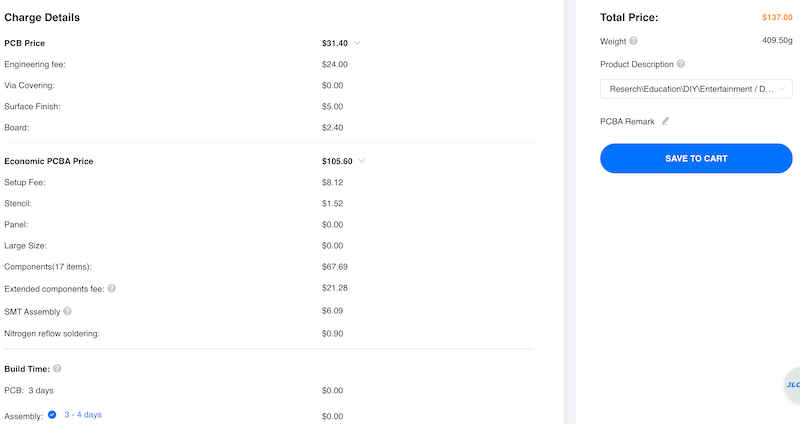
If I choose panel by customer (which also sounds about right), I am asked to enter dimensions. When I enter 2 columns 4 rows, I end up with a total cost, that is above 600 USD. Doesn't sound right either.
- What are you recommending as surface finish option?
1. DOWNLOAD PANEL, BOM AND POS FILES FROM GITHUB
Go to the
recommended release linked from the readme, and download the "panel-release.zip". Inside, there are:
- gerbers.zip: this describes the various layers for manufactoring
- bom.csv: a list of components to source for the assembly
- pos.csv: the position and orientation of the aforementioned components.
All of these files must be read by the manufacturer, you're not supposed to have anything to modify on them.
2. GO TO JLCPCB, REGISTER, AND "ORDER NOW"
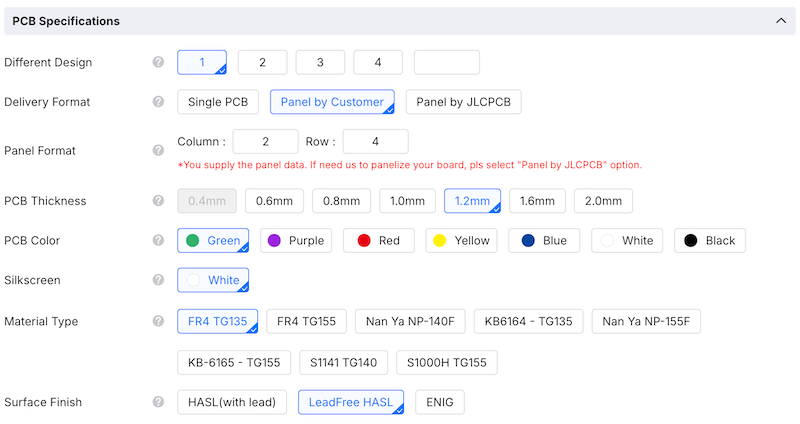
First, you have to specify the PCB parameters. Important settings are set automatically on gerber upload. You have to change:
- delivery format: panel by customer
- panel format: 2x4
- PCB Thickness: 1.2 mm (important!)
Do not change anything else. For surface finish, HASL is good enough. Lead-based soldering is easier to prototype, and compliant/legal for diy purposes. Lead-free also works (melts differently at higher temps though).
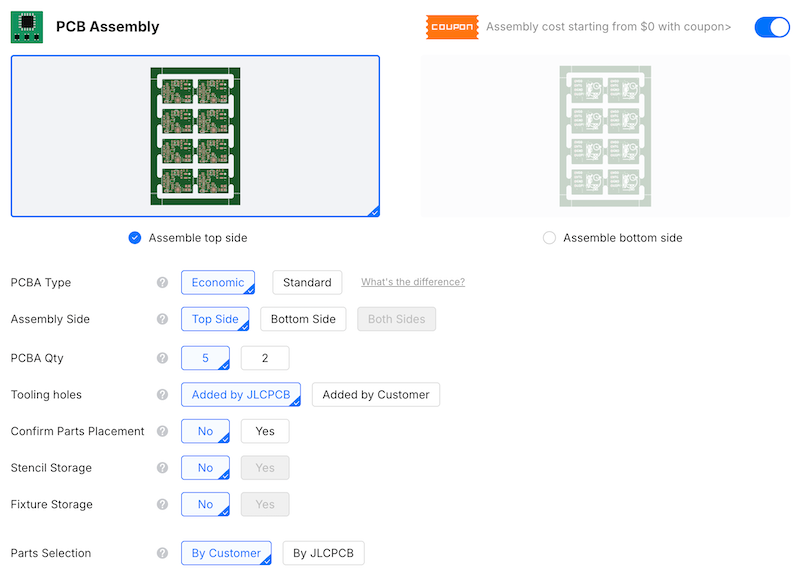
Also tick the "PCB assembly" toggle. Defaults work fine.
 3. SPECIFY PCB
1. verify top side was selected
2. upload POS & BOM; select "complete file, ...", JLC has nothing to do
3. BOM screen: is something is out-of-stock, you'll stop here. otherwise proceed
4. Component placement: there is a dot next to all components on the silkscreen (white drawing). Verify components purple dot aligns with the white dots. The LED's negative side is towards the MCU. You can correct if something is wrong.
With lead-free specs, 5 panels:
4. Save to cart, specify shipping, apply coupons, pay your taxes, etc.